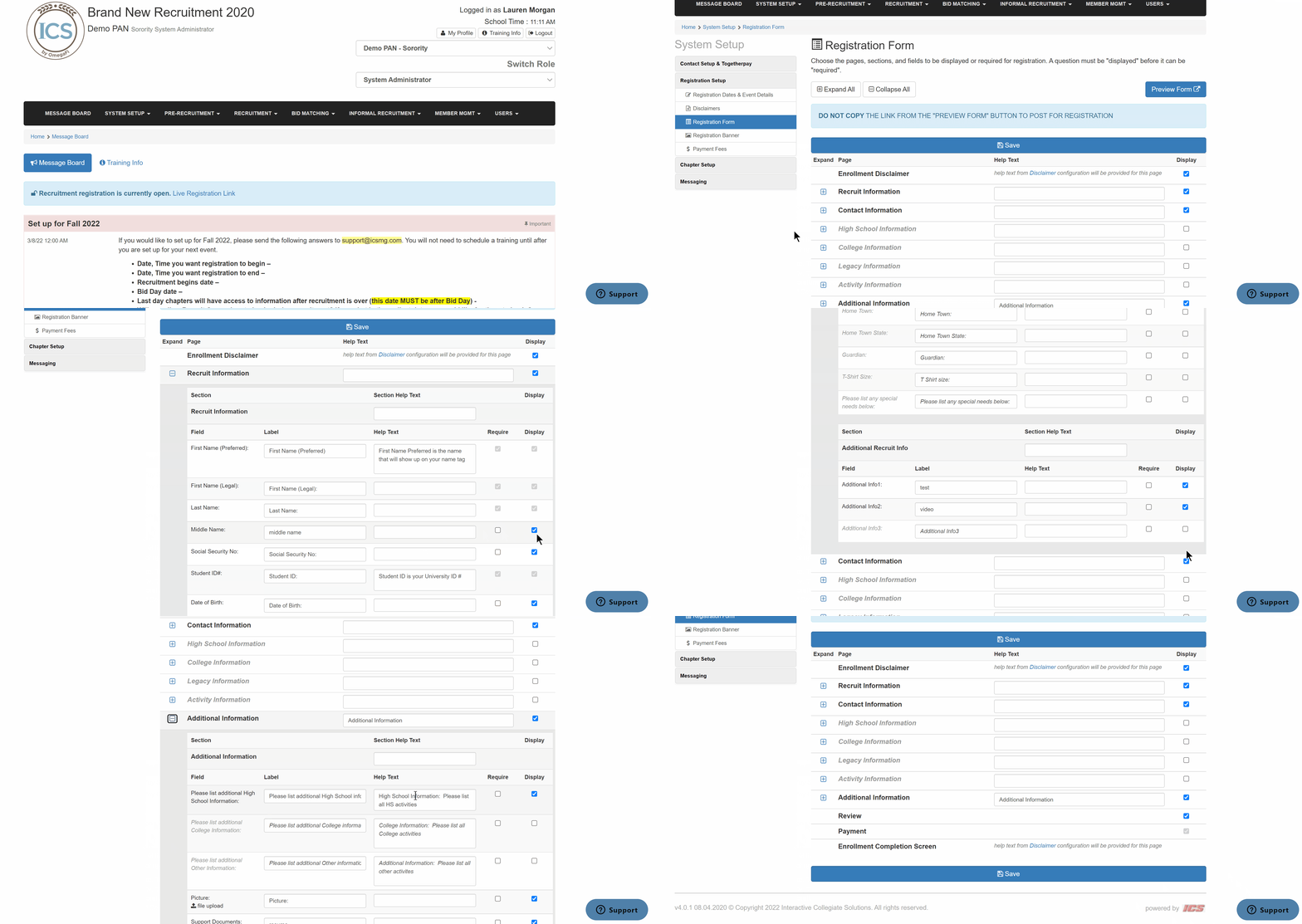
To edit the recruitment registration form that PNMs will fill out, follow the steps below.
- Click System Setup > Registration Form from the top menu
- Use the + button for each page to expand the options and edit the labels and help text as necessary
- Use the checkbox to display the page on the registration form
- Once edits are complete, click Save