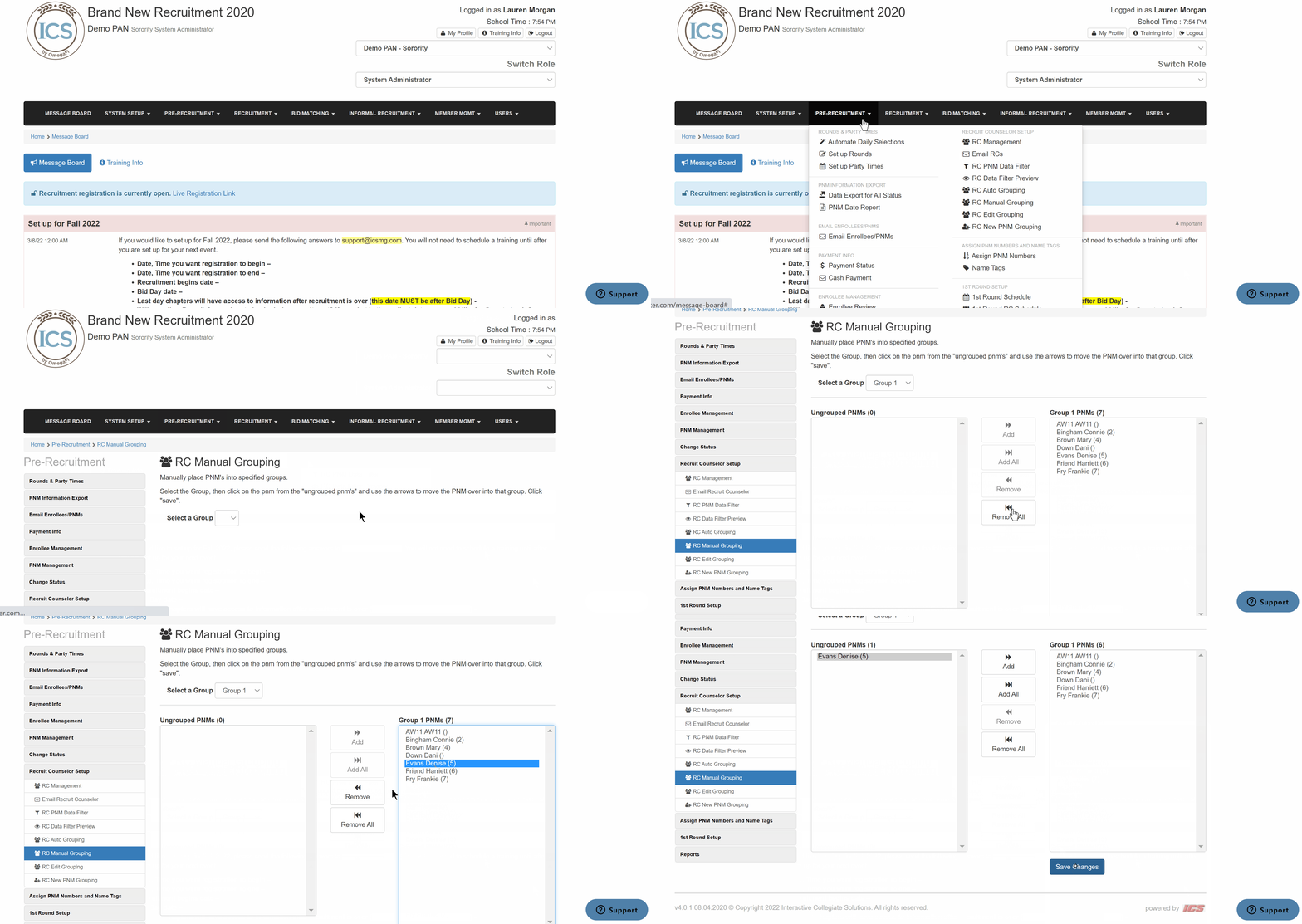
How to manually assign PNMs to groups March 09, 2023 16:36 Updated To manually assign PNMs to groups, follow the steps below. Go to Pre-Recruitment > RC Manual Grouping Select a group Select the PNM(s) you need to assign a group Click Add or Remove Save Related articles How to automatically assign PNMs to groups Once I manually edit the group a PNM is in, can I go back to Auto Group? What do I do if I need to add RC groups? PNM Training