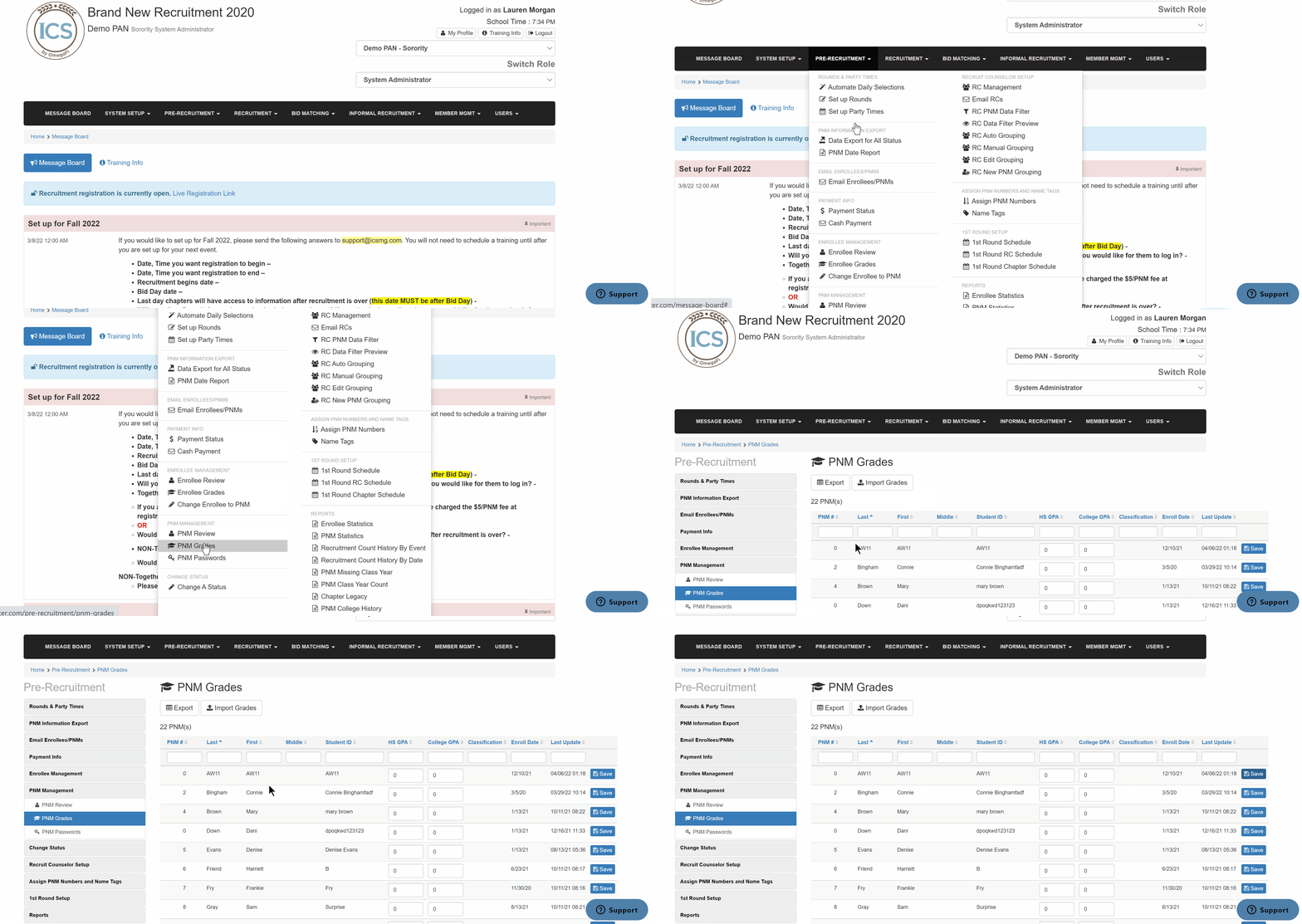
See below for steps on importing PNM grades and manually editing GPAs.
- Go to Pre-Recruitment > PNM Grades
- To import grades
- Ensure your Excel document includes ONLY the following columns: Student ID, HS GPA, and College GPA formatted as "text".
- Select the file and import
- To manually edit
- Locate the PNM
- Enter the updated HS and/or College GPA
- Click Save on the PNM