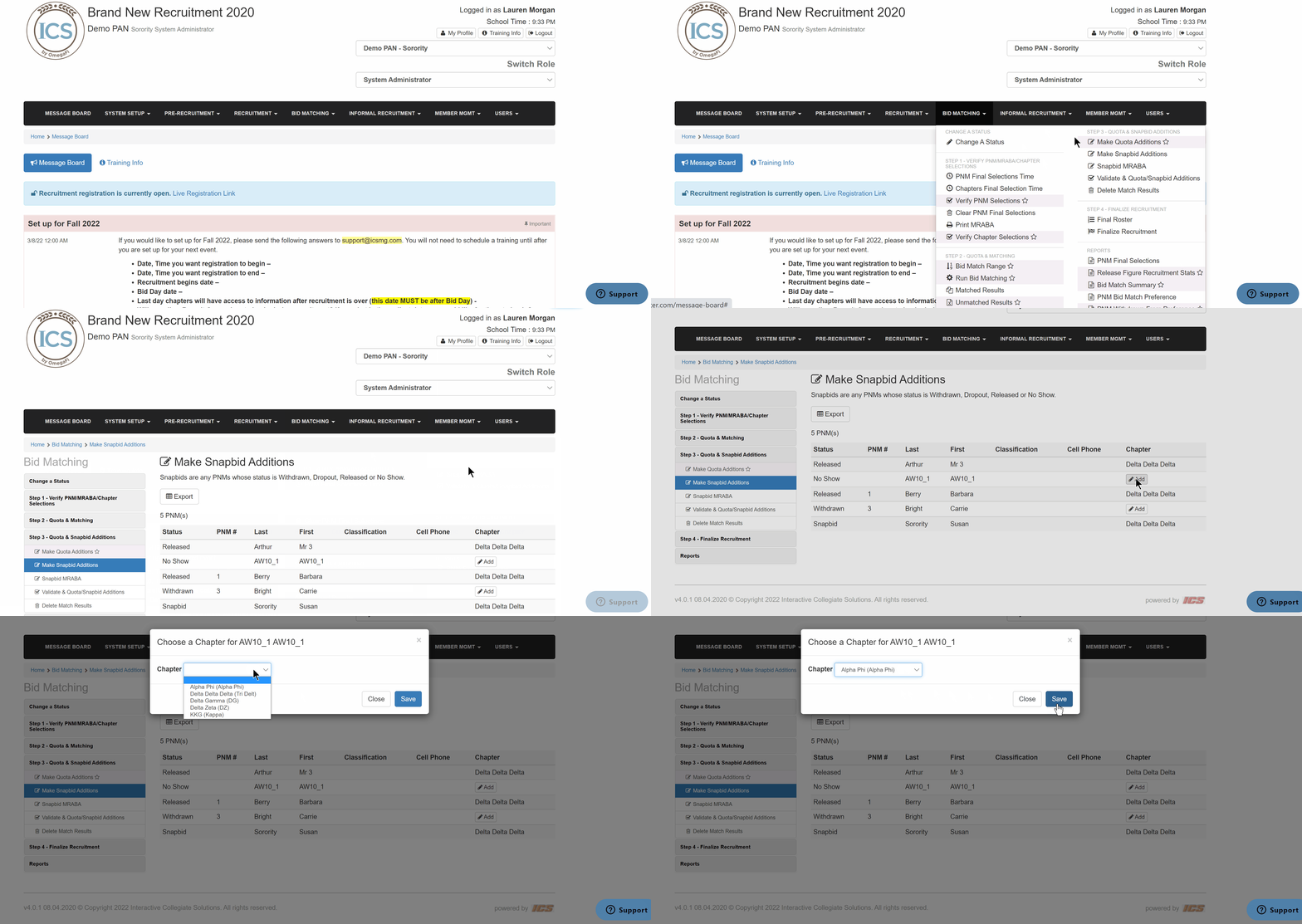
Snap bids are for any PNMs with a status of Withdrawn, Dropout, Released, or No Show. To make snap bid additions, follow the steps below.
- Go to Bid Matching > Make Snapbid Additions
- Locate the PNM(s) and click Add
- Select a chapter
- Click Save
Snap bids are for any PNMs with a status of Withdrawn, Dropout, Released, or No Show. To make snap bid additions, follow the steps below.