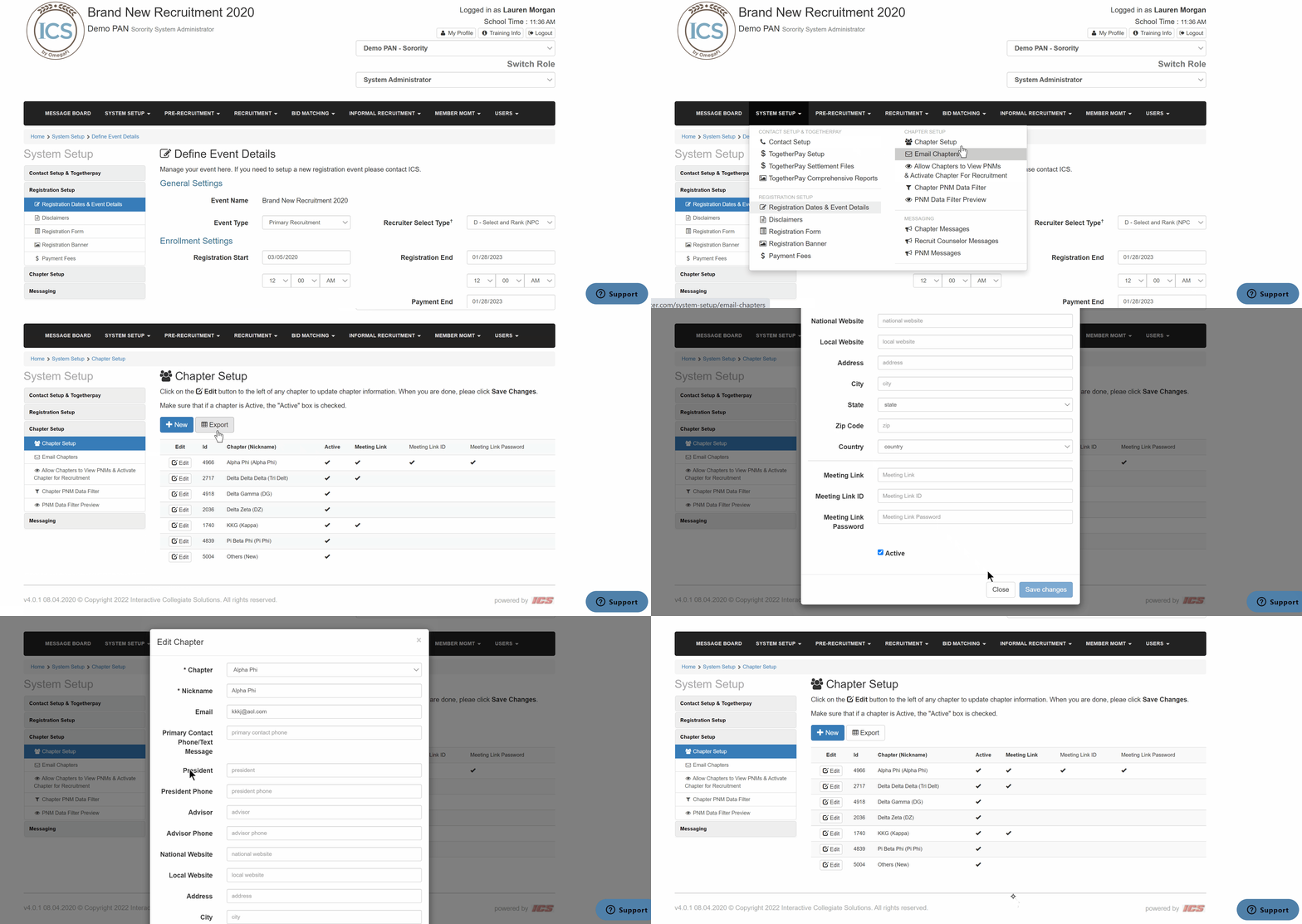
Follow the steps below for adding and/or editing chapters in ICS.
- Go to System Setup > Chapter Setup from the top menu
- To add a new chapter:
- Click the + New button
- Enter the required information
- Click Save Changes
- To edit an existing chapter:
- Locate the correct chapter
- Click Edit and update the information
- Click Save Changes