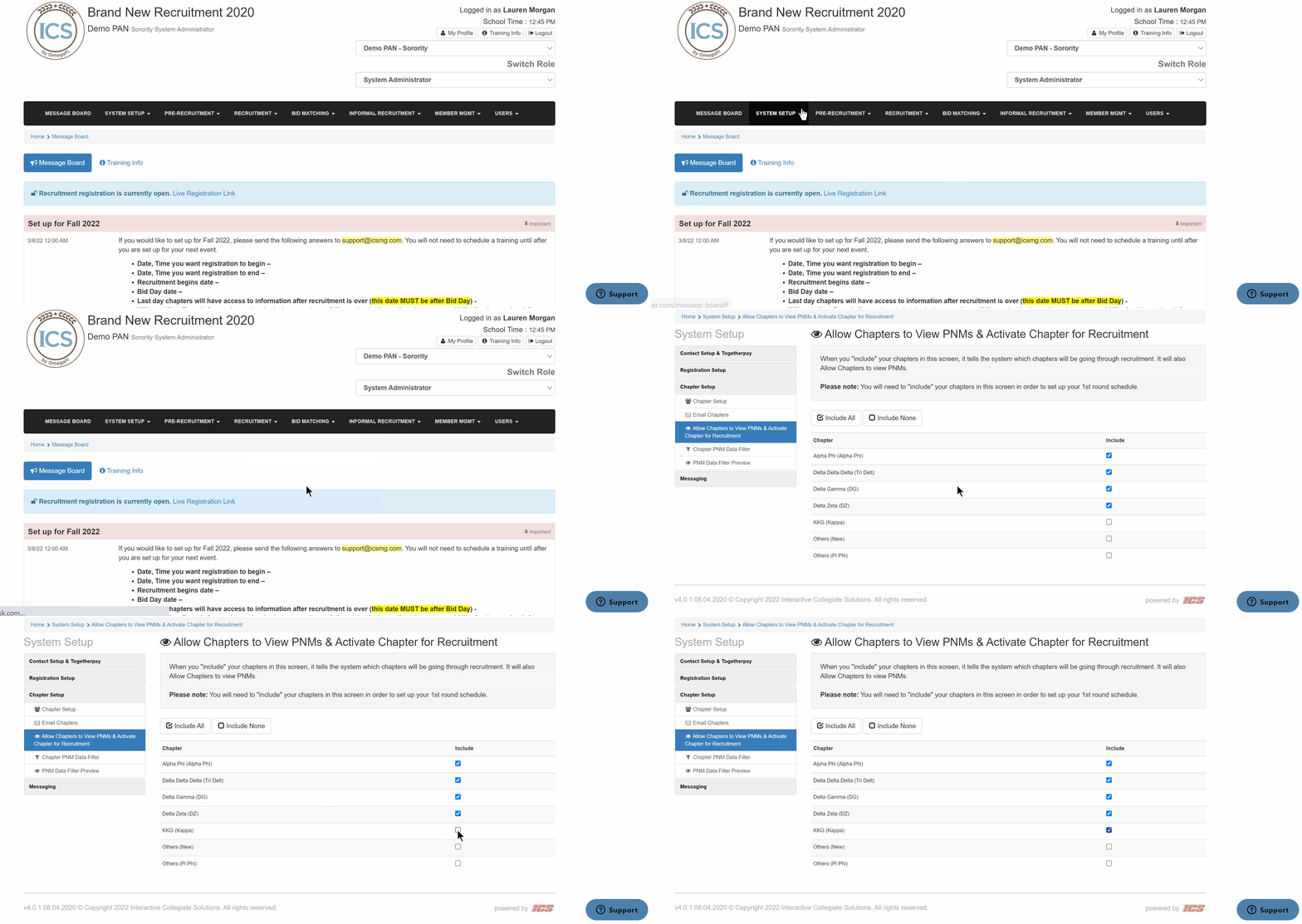
To activate a chapter for recruitment and allow them to view PNMs, follow the steps below.
- Go to System Setup > Allow Chapter to View PNMs & Activate Chapter for Recruitment from the top menu
- Locate the chapter(s) you want to activate
- Check the box to Include