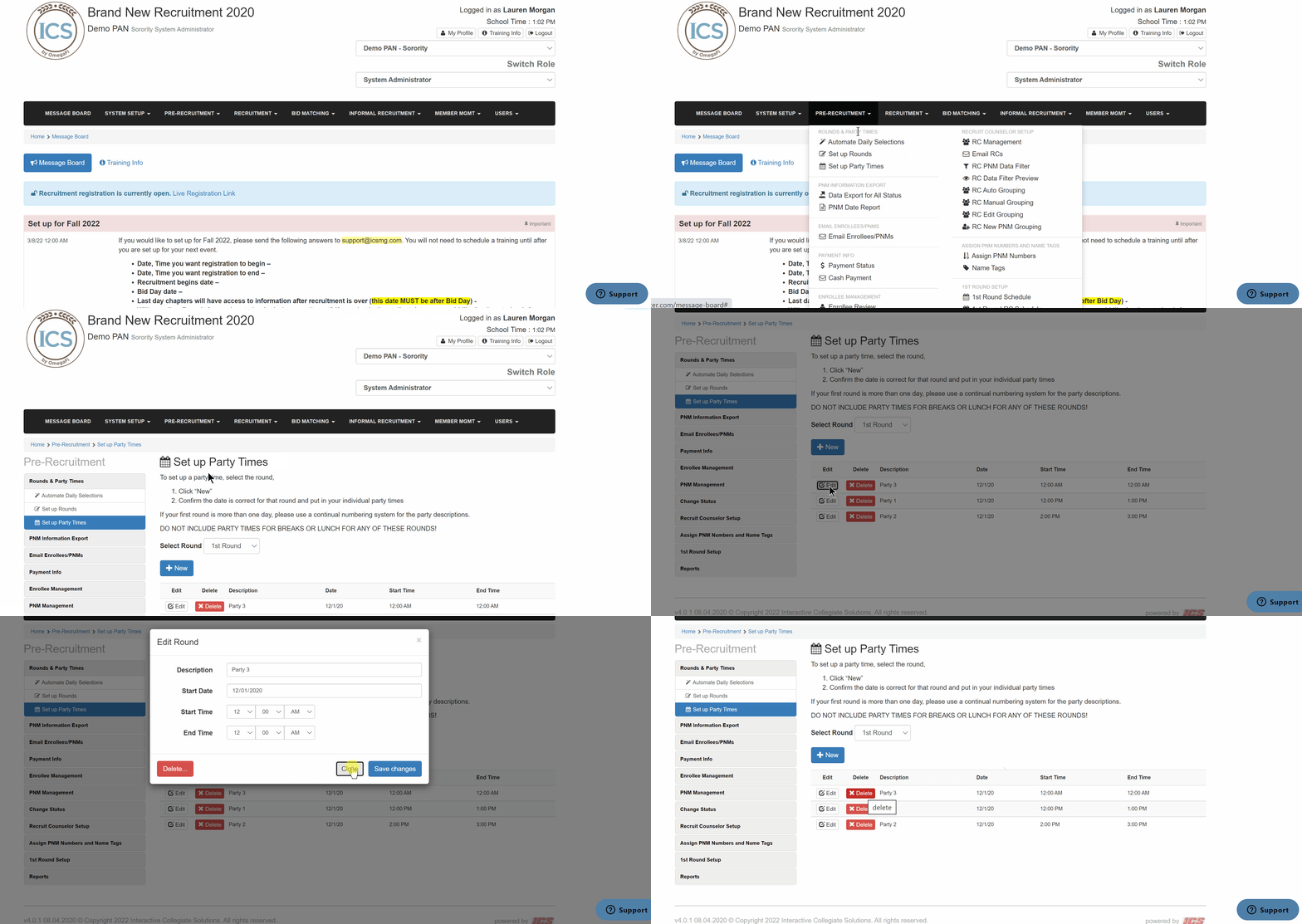
To edit and/or delete party times, follow the steps below.
- Go to Pre-Recruitment > Set up Party Times
- Locate the correct party
- To edit
- Click Edit
- Enter the information
- Click Save Changes
- To delete - you can only delete a party time if the party time is not scheduled yet.
- Click Delete
- To edit